Pinned up in Mike’s studio.
Bram
A friend who
has your back.
Find your words. Try them out.
Make room for what you need.
Bram is a self-advocacy app for the conversations that matter to you. A warm companion to help you prepare, practice, and keep the words that feel like yours.
Bram 2.0 · Planned for November 4, 2026
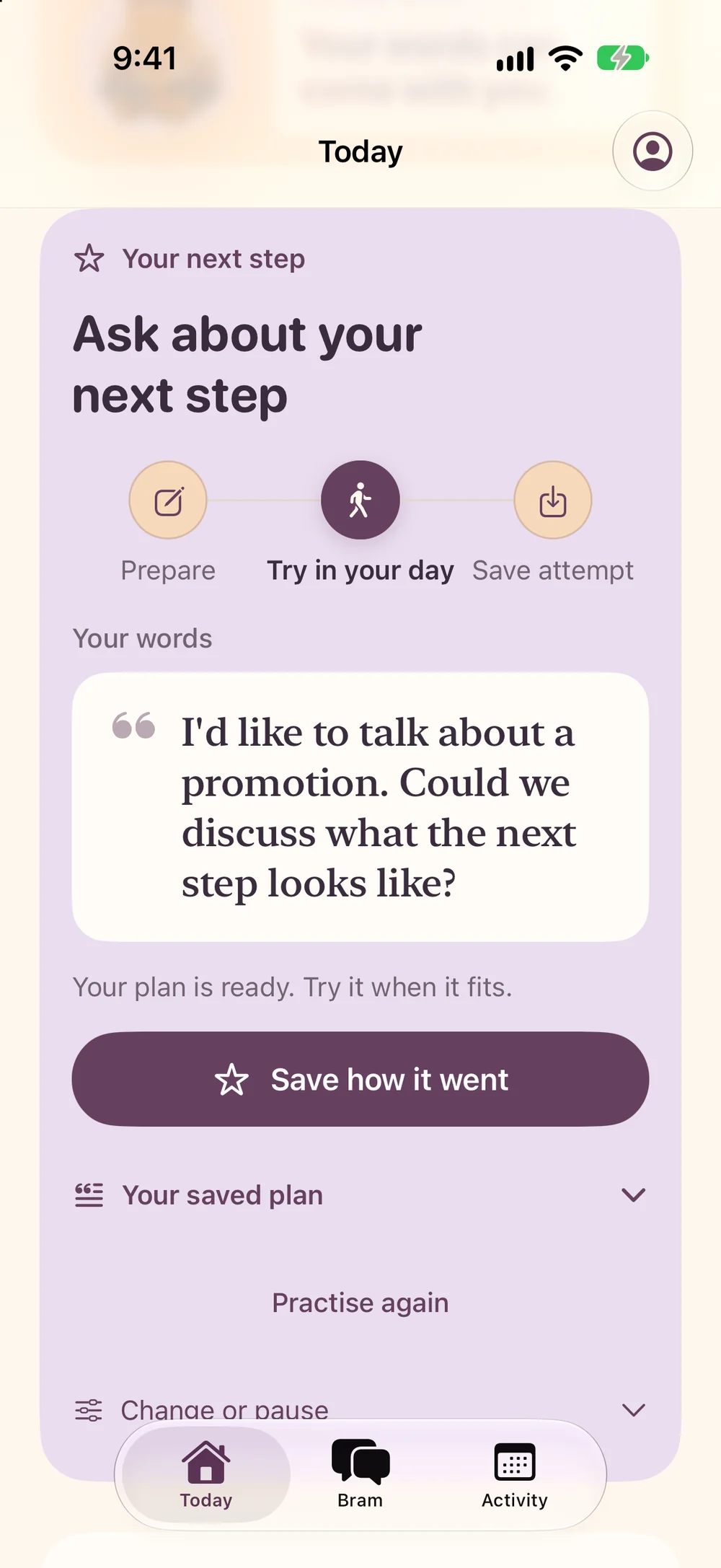

Your words.
Your pace.
You don’t need
the perfect words.
Start with what is on your mind. Prepare for a conversation, find an opening, and edit it until it sounds like you.
A draft can stay a draft. Save your words, come back to them, and take the next step when you are ready.
A useful place to begin.
A little practice.
A little backup.
Before the real conversation,
there is room to try.
Prepare your words
Start with a real situation or a guided activity. Find an opening, edit it, and save a draft that sounds like you.
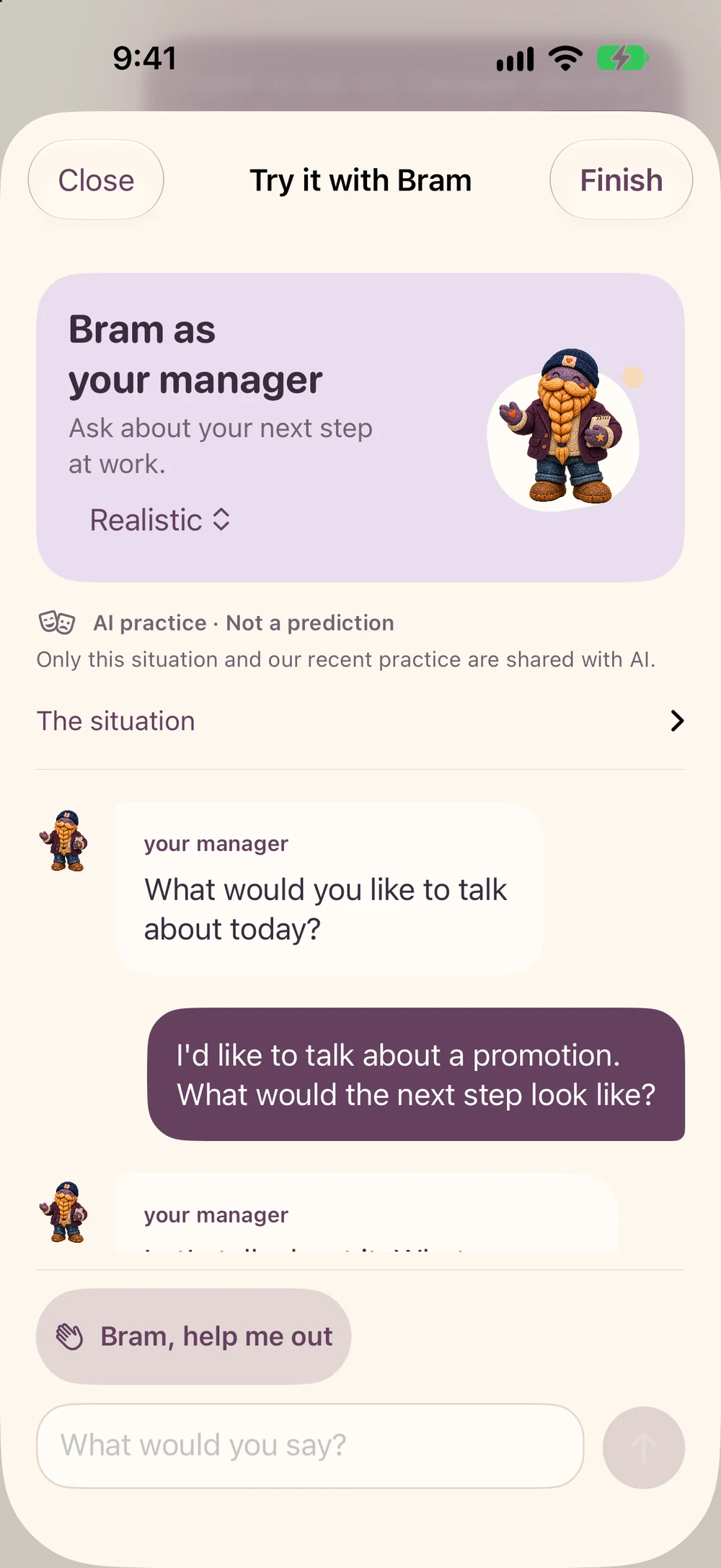
Try it with Bram
Roleplay a conversation with Bram. If you get stuck, pause for coaching, try a line, and return to the practice.
Keep what is yours
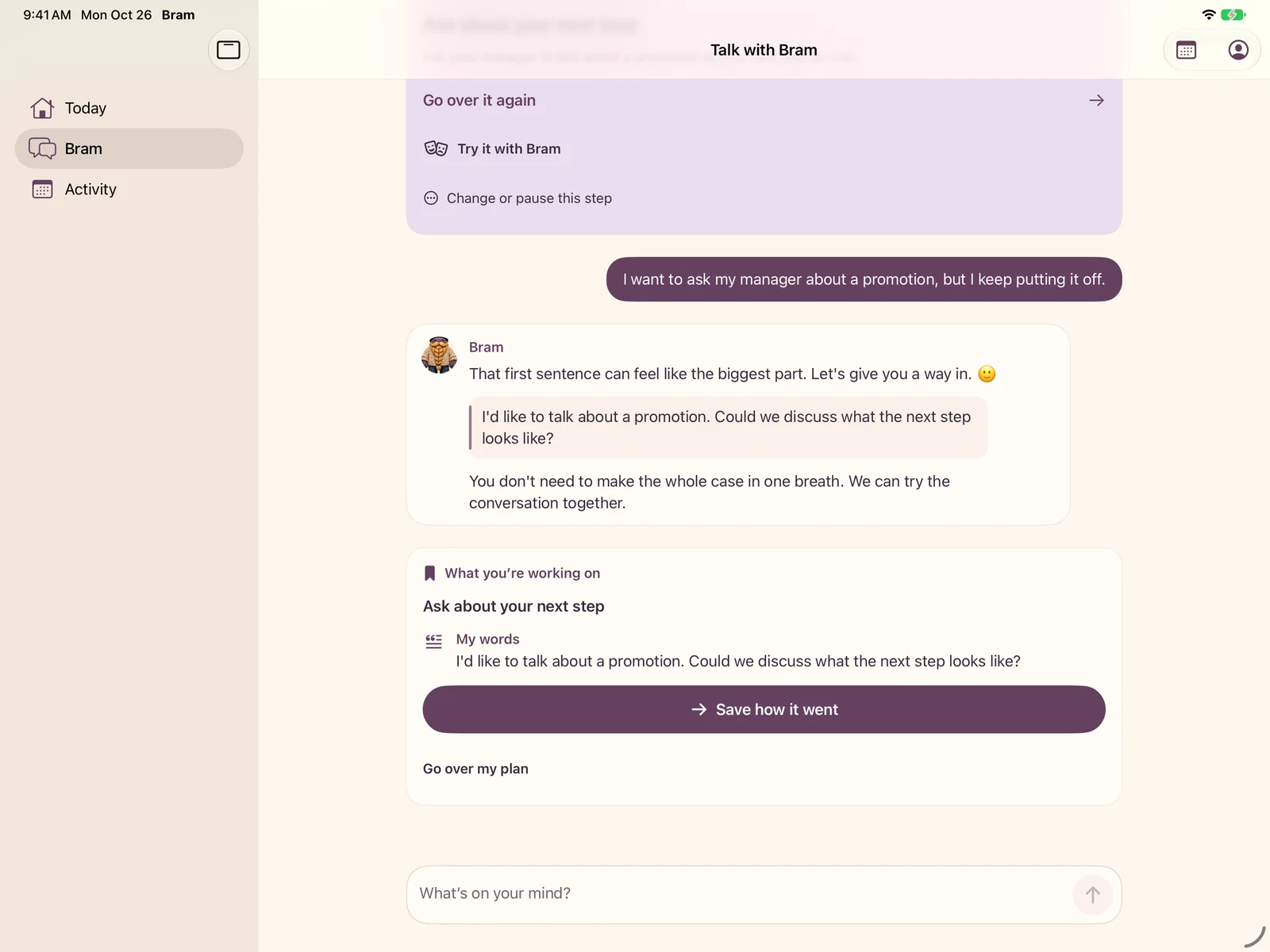
Use Keep my words to save useful wording. After a real-world attempt, come back to what happened and what you learned.
Roleplay is practice with AI. It cannot predict what another person will say.
A little room.
Or a little more.
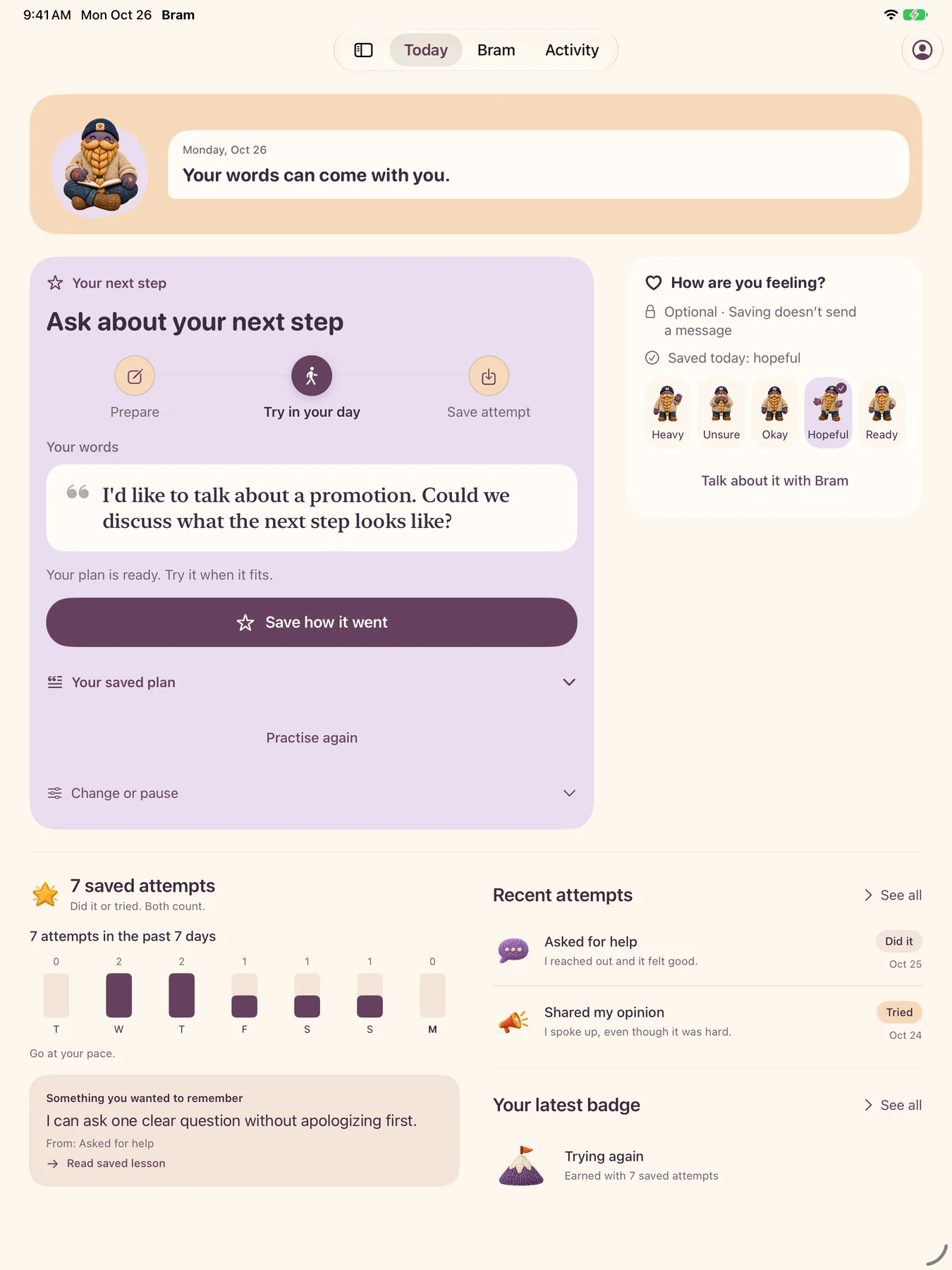
A look at Bram 2.0 on iPhone,
iPhone Duo, and iPad.
iPhone
Keep your next words close.
iPhone Duo
Room to open things up.
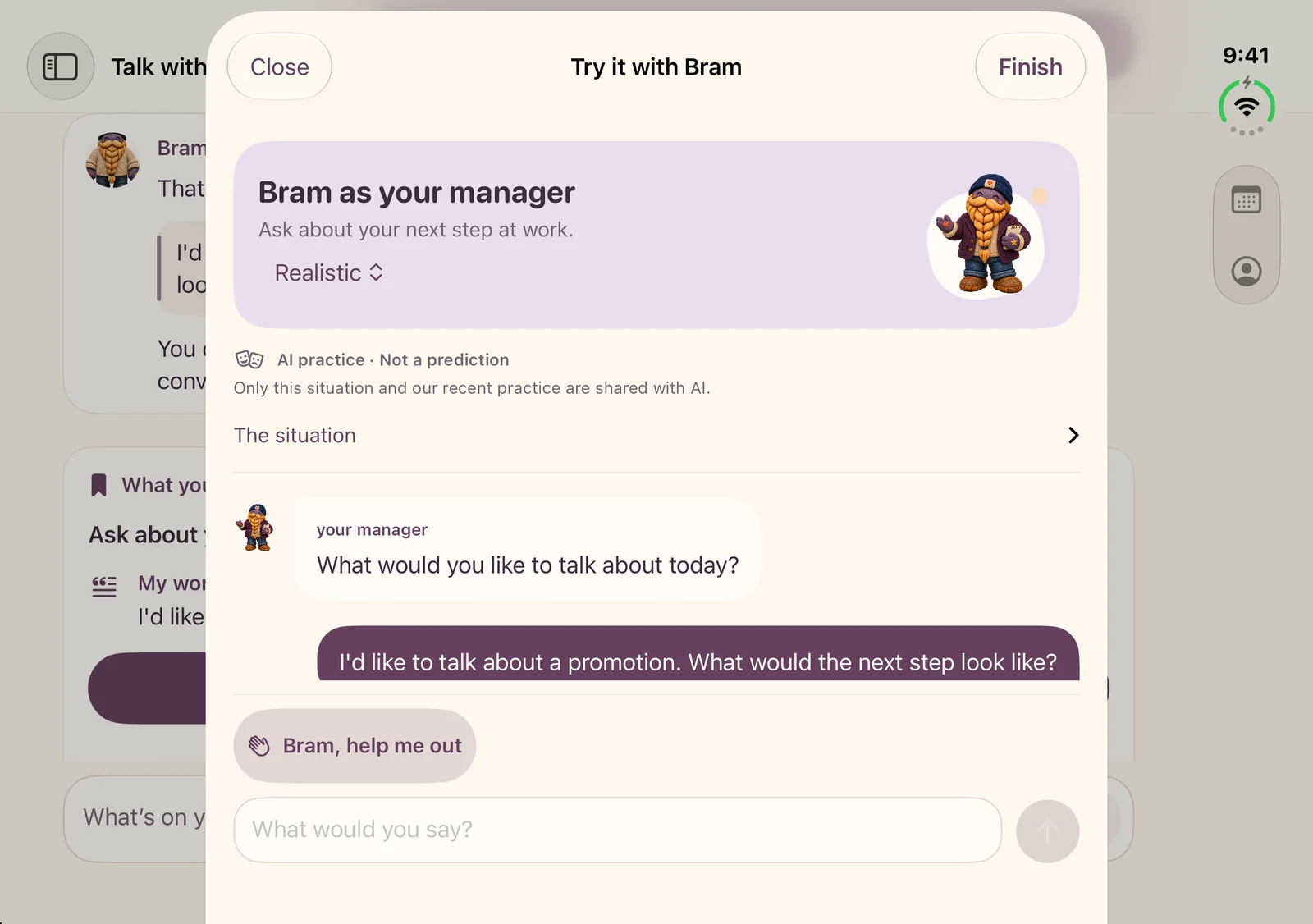
iPad
A little more space to prepare.
And on the Mac?
A native Mac companion is in development too. Release availability and compatibility will be confirmed when Bram 2.0 is ready.
Actual development screenshots with fictional example data. Bram 2.0 is planned for November 4; these previews may change before release.
Keep what helped.
Your attempts. Your lessons.
Something to come back to.
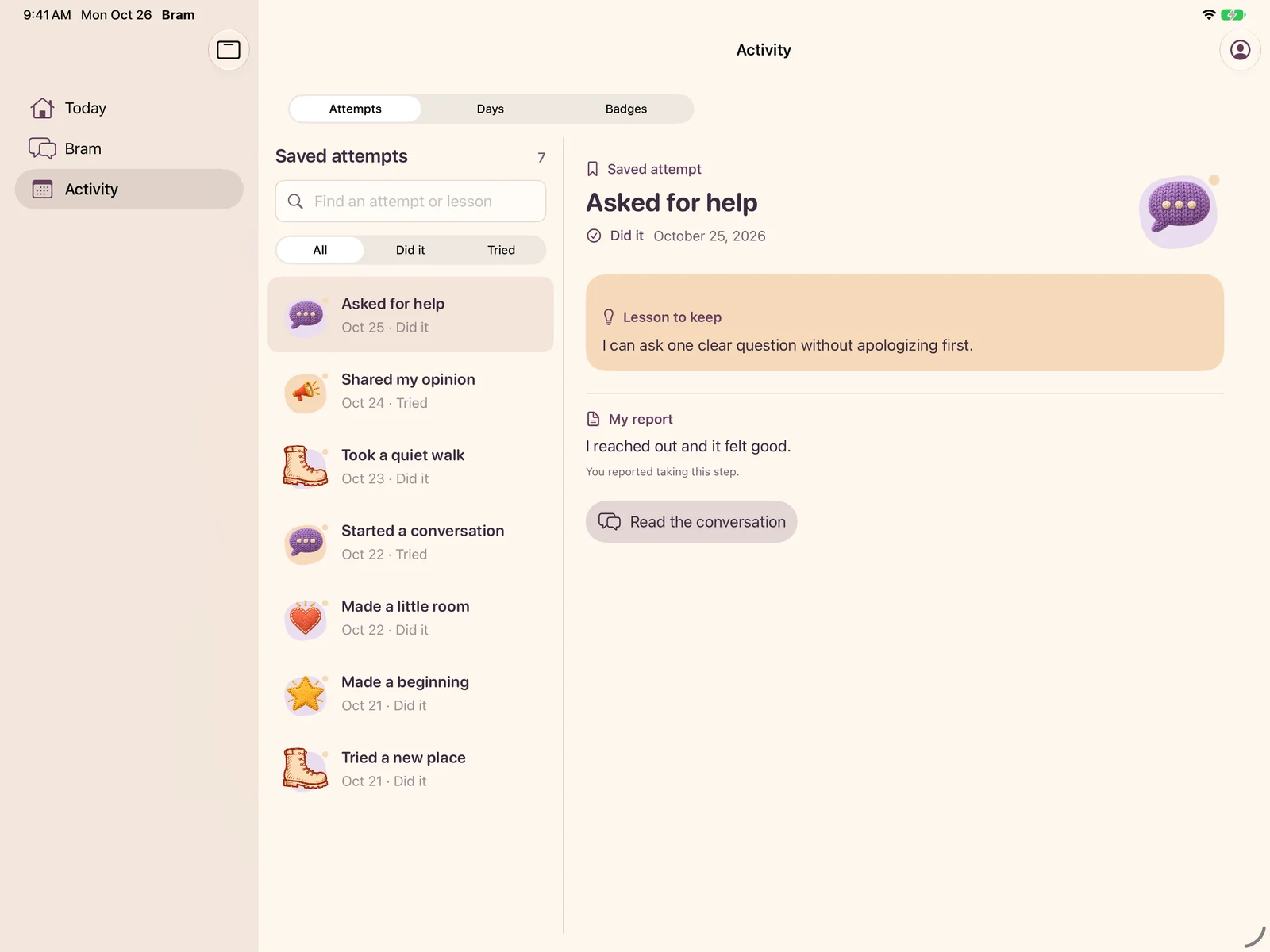
Rehearsing is preparation. Trying it in your day is an attempt. Save what happened and what you learned, without turning either into a score you have to live up to.

Our dude.
Your pal.
Someone in your corner while you work out what you want to say. You choose the words, the pace, and when you are ready.
You get the final say.
A few things to know
- When is Bram 2.0 coming?
- Bram 2.0 is planned for November 4, 2026. This page previews that next chapter; the current App Store version is available separately.
- Where can I use Bram?
- The current App Store listing covers iPhone and iPad. The 2.0 previews here show native iPhone, iPhone Duo, and iPad layouts. A native Mac companion is in development; release compatibility will be confirmed when it is ready.
- Do I have to say exactly what Bram suggests?
- No. Edit the words, save a draft, or leave it for later. You choose what to say and when you are ready.
- What does roleplay tell me?
- Roleplay is a place to practice with AI, not a prediction of another person’s response. You can pause for coaching and keep useful wording.
Meet the next chapter.
Bram 2.0 is planned for November 4.
Current App Store version: iPhone & iPad.